
Imagine this: it’s Tuesday afternoon and you’re writing the same kind of reply you’ve written a hundred times before — a client asking about your pricing, your turnaround time, and whether you’re available next month. You type it out carefully, proofread it, send it, and move on to the next one. By the end of the day you’ve spent two hours on emails alone.
You’ve probably experienced this and quietly accepted it as part of running a business. The frustrating part is, this particular kind of work — repetitive, worded-the-same-way-every-time, low-decision tasks — is exactly what AI tools were built to handle. Most small business owners are still doing it entirely by hand, not because they’ve tried AI and found it lacking, but because no one ever showed them which tasks to hand off first.
Here’s what usually happens: people hear “AI” and picture something complicated, expensive, or built for tech companies. In reality, the most useful AI tools for small businesses are the ones handling the most boring, time-consuming parts of the day — the writing, the replying, the summarising, the scheduling — so you can focus on the work that actually needs you.
Why Small Business Owners Keep Doing Repetitive Tasks Manually

Most business owners assume AI tools require technical knowledge to set up, or that the output won’t match their voice and will need heavy editing anyway. In reality, the barrier to entry for most of these tools is lower than learning a new social media platform — and the time saved starts showing up almost immediately.
Imagine a freelance marketing consultant who spends forty minutes every Monday writing a weekly update email to her clients — recapping what she worked on, what’s coming next, and any questions she needs answered. She types it fresh each time, even though the structure is almost identical every week. A simple AI prompt can produce that draft in under two minutes. She edits for a couple of minutes, personalises it, and sends. What used to take forty minutes now takes five.
This happens because most people evaluate AI tools based on the best possible use case — “can AI write my entire business strategy?” — rather than the most practical one: “can AI draft the reply I write ten times a week?” The practical use is almost always more useful and immediately time-saving than the impressive one.
How Do You Know If You’re Wasting Time on Tasks AI Can Handle

The clearest sign is repetition. If you find yourself writing, describing, explaining, or formatting the same things regularly, those are almost always tasks AI can draft for you. Some common indicators:
- You write similar client emails or messages more than a few times a week
- You regularly create social media captions, product descriptions, or service summaries from scratch
- You spend time summarising meetings, calls, or documents into notes
- You manually respond to the same customer questions that come in repeatedly
- You find yourself staring at a blank page before writing anything — proposals, descriptions, bios, responses
- You feel behind on content or communication not because you don’t know what to say, but because writing it out takes too long
Imagine a local property consultant who needs to write a short description for every new listing that comes in. He types each one from scratch, spending fifteen to twenty minutes per listing. With a simple AI prompt — property type, location, size, key features — he gets a usable first draft in thirty seconds and spends five minutes refining it. The actual thinking work is his. The typing work is the AI’s.
Common Mistakes Small Businesses Make When Trying AI Tools
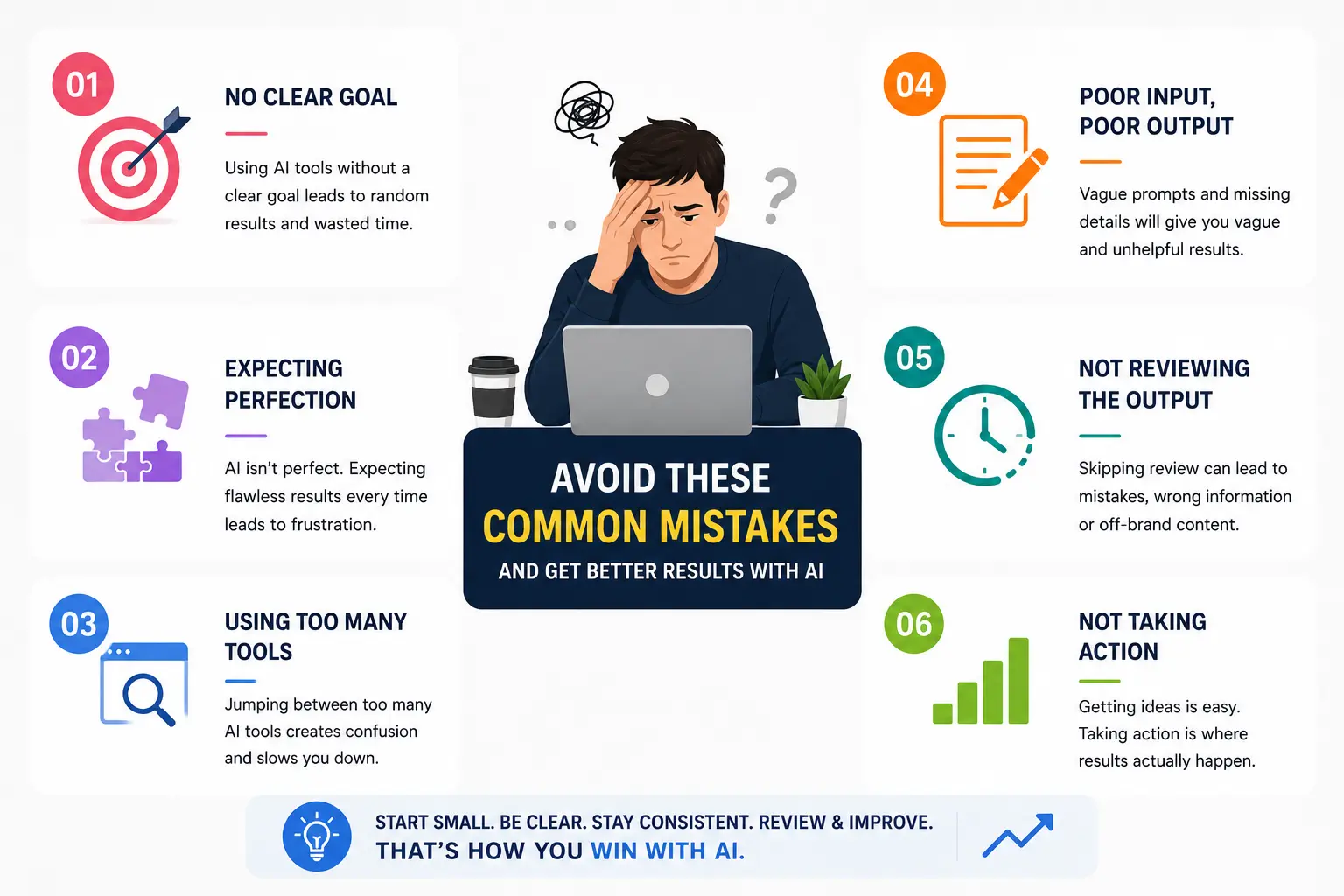
- Trying AI once with a vague prompt, getting a poor result, and concluding it doesn’t work — most AI tools respond to how specifically you ask
- Expecting AI to replace thinking, rather than using it to handle the expression and formatting of thinking you’ve already done
- Using AI for the wrong tasks first — starting with something complex like a full business plan instead of something simple like a reply template or social caption
- Not editing the output at all, which produces generic-sounding content that doesn’t match your voice
- Signing up for multiple tools at once, getting overwhelmed, and abandoning all of them before any became useful habits
- Treating AI as a one-time experiment rather than something to build small habits around
How to Use AI Tools to Save Real Time in Your Business This Week
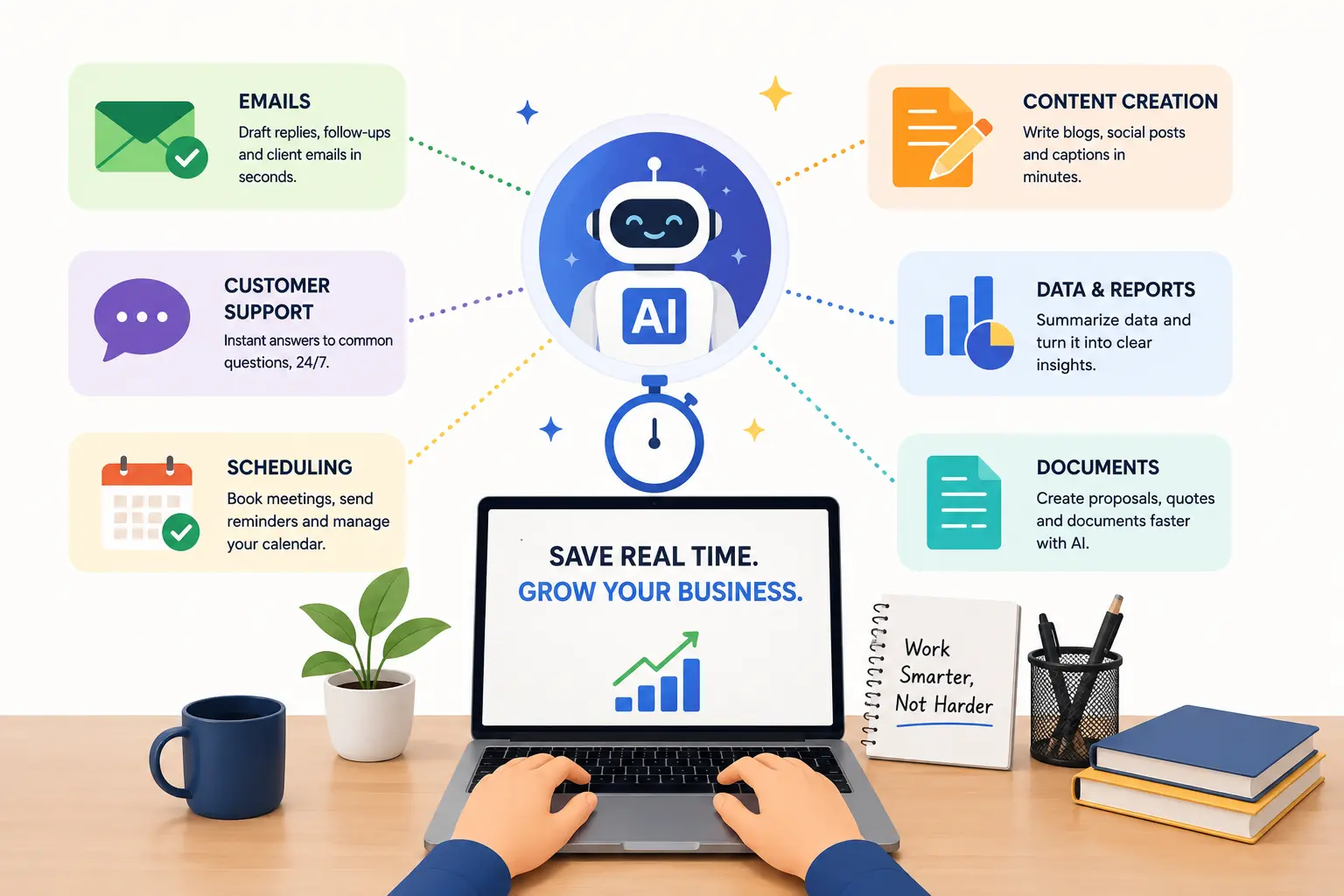
1. Start with the task you repeat most often.
Don’t start with the most exciting use case — start with the most repeated one. If you write the same type of email five times a week, that’s the first thing to bring AI into. One well-written prompt template for that email will save you time every single week going forward.
2. Give the AI context, not just a request.
Instead of typing “write me a reply to a client asking about pricing,” try “I run a web design studio for small businesses in Hyderabad. A client is asking about pricing for a basic five-page website. Write a friendly, professional reply that explains our process briefly and invites them to a short call.” The more context you give, the less editing you need to do afterward.
3. Use AI to break the blank page problem.
The hardest part of writing anything is starting. Use AI to generate a rough first draft — even a bad one — and then edit it into shape. Editing a draft takes a fraction of the time that writing from scratch does.
4. Build a small prompt library.
Imagine a small gym owner who keeps a simple document with five or six prompts she reuses regularly — one for class schedule posts, one for member re-engagement messages, one for new enquiry replies. Each prompt took ten minutes to get right the first time. Now she copies, pastes, and adjusts in under two minutes per task.
5. Pick one tool and stay with it long enough to get value.
Most of the time saving from AI tools comes after the first week, once you’ve built a feel for how to phrase things. Jumping between tools constantly resets that learning curve every time.
What Most Business Owners Overlook
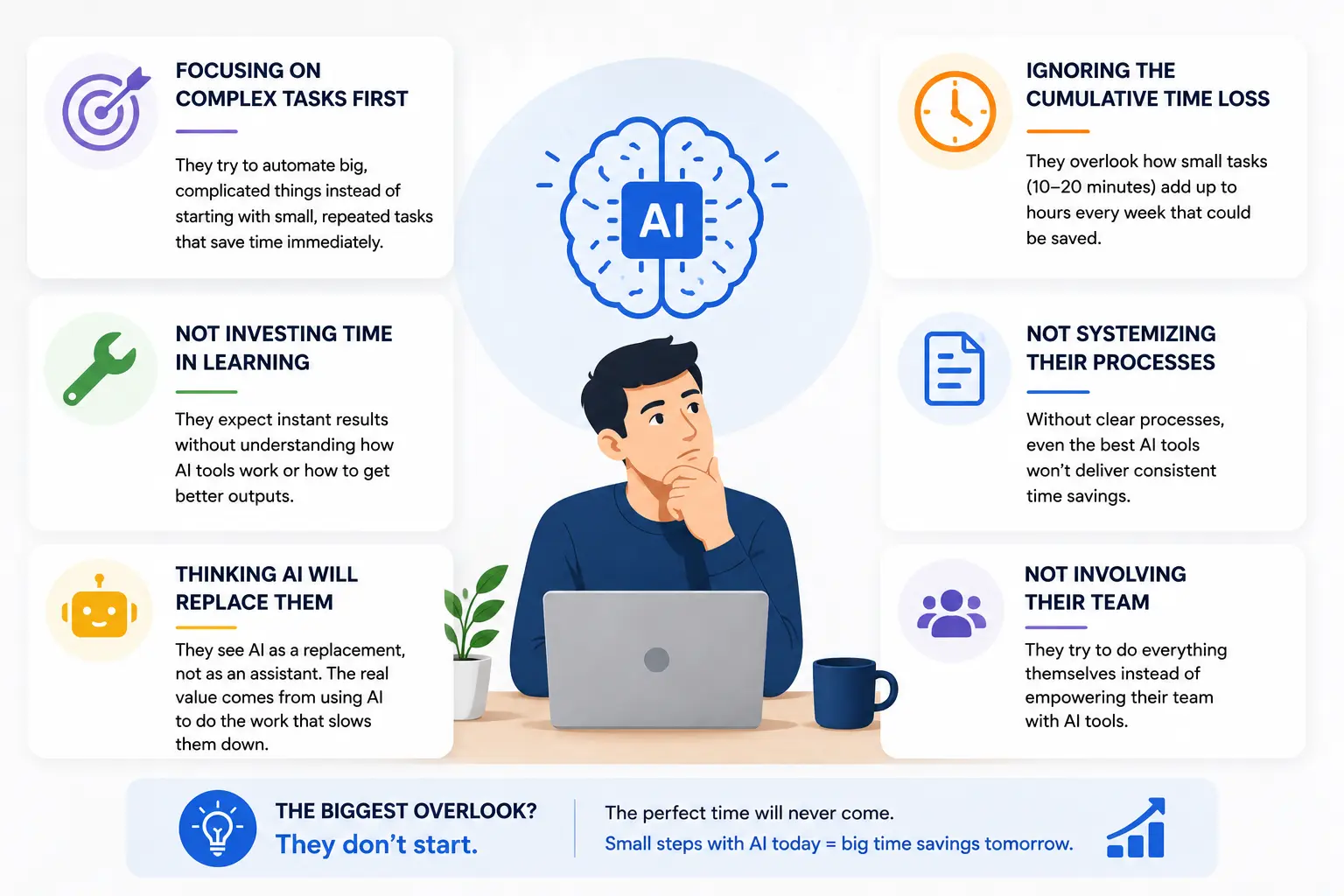
Here’s the part most people miss: the goal of using AI in a small business isn’t to automate everything — it’s to protect your time for the work that genuinely needs your judgment, your relationships, and your experience.
Most business owners who say they’re “too busy” are spending a significant portion of that busyness on tasks that require almost no unique skill from them — drafting, formatting, summarising, describing. AI doesn’t replace the decisions or the relationships. It handles the part between the decision and the finished message, which is often where most of the time goes.
Timeline: What to Expect When You Start Using AI Tools
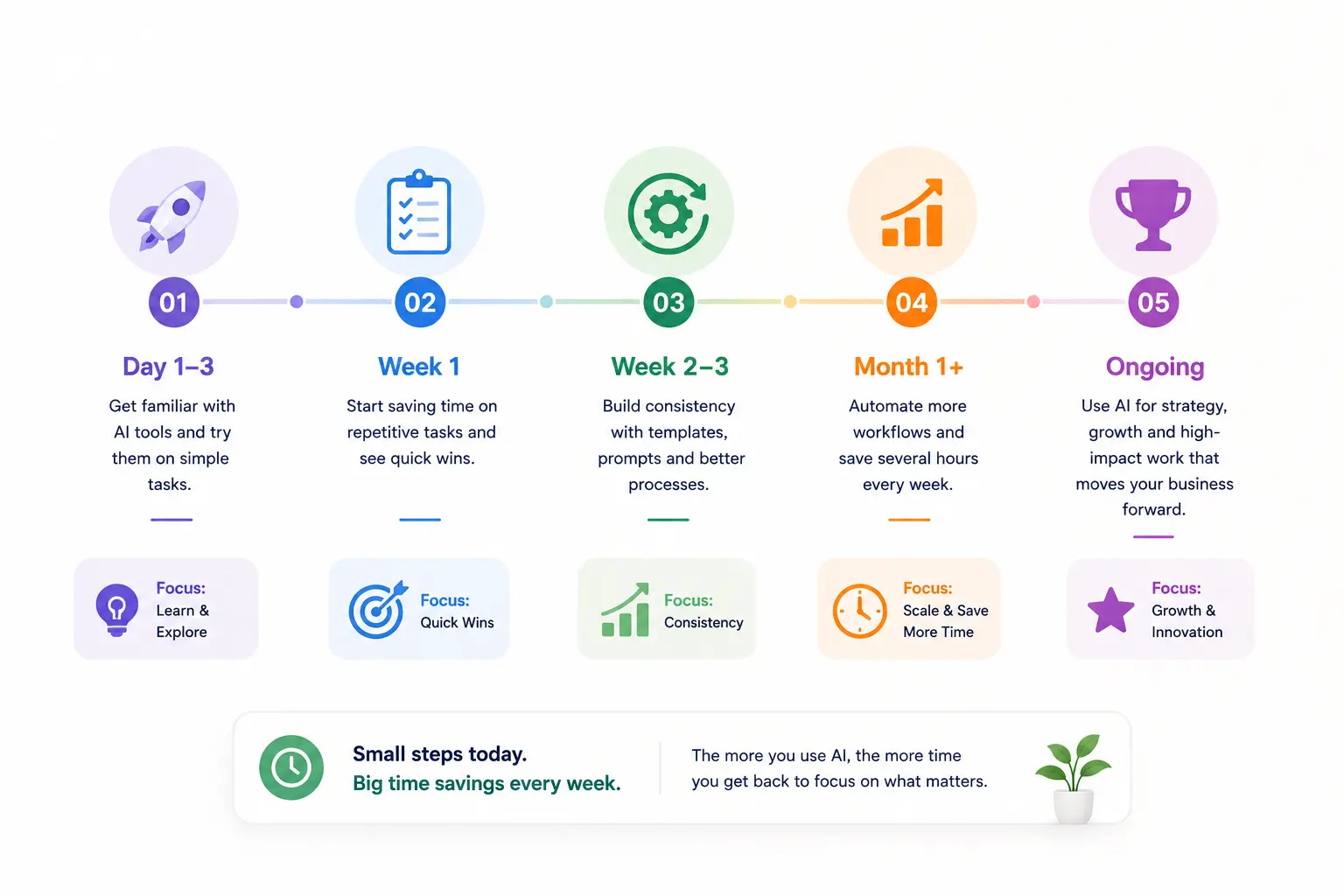
The first few days usually feel slower, not faster — because you’re learning how to phrase prompts effectively. Most people find their footing within three to five days of regular use.
By the end of the first week, the tasks you’ve built prompts for will noticeably speed up. By the end of the first month, if you’ve built even three or four reliable prompt habits, the cumulative time saving becomes significant — often several hours a week for business owners who communicate and write frequently as part of running their business.
What Happens If You Ignore This Problem
The hours spent on repetitive writing and communication don’t decrease on their own — they tend to grow as the business grows. Competitors who adopt these habits early move faster, respond quicker, and produce more content with the same amount of working time. The gap isn’t dramatic day to day, but over months it compounds quietly into a meaningful difference in output and capacity.
A Quick Action Step
Think of the one email, message, or piece of writing you produce most often in your business — the one you could almost write in your sleep because you’ve done it so many times. Open any AI tool today, describe the context clearly, and ask it to draft that piece. Then compare how long that took versus writing it yourself. That comparison is usually all the convincing anyone needs.
Tools & Resources
- ChatGPT (Free and Paid) — The most widely used AI writing tool. Useful for drafting emails, replies, descriptions, social posts, and summaries. The free version handles most small business writing tasks well.
- Claude (Free and Paid) — Particularly strong for longer, more nuanced writing tasks and for maintaining a consistent tone. Useful when output quality and natural language matter more than speed.
- Notion AI — Built into the Notion workspace, useful for teams or solo business owners who already use Notion for notes, tasks, or documentation. Summarises and drafts directly inside your existing workspace.
- A simple prompt document — Not a tool, but often the most practical asset. Keeping a running Google Doc or Notes file with your best-performing prompts means you’re not starting from scratch every time — just copying, adjusting, and sending.
FAQ
I tried AI writing tools before and the output sounded nothing like me. Is that normal?
Yes, especially with vague prompts. The more context you give — your tone, your audience, your business type — the closer the output gets to your voice. Most people also find that editing AI output is much faster than writing from scratch, even when the first draft needs adjusting.
Are free AI tools good enough for small business use?
For most everyday writing tasks — emails, captions, descriptions, replies — yes. Paid versions offer faster responses and higher usage limits, but the free tiers of tools like ChatGPT handle the majority of small business writing needs well.
Will my clients or customers be able to tell if I used AI?
If you edit and personalise the output, usually not. The most noticeable AI writing is unedited AI writing — generic phrasing, overly formal tone, repetitive structure. A quick edit to match your actual voice makes a significant difference.
What types of tasks are NOT good fits for AI?
Anything requiring real relationships, judgment calls, sensitive client conversations, or unique professional expertise. AI is useful for expressing and formatting — not for the decisions themselves.
How do I make sure AI content is accurate?
AI tools can produce plausible-sounding but incorrect information, especially for specific facts, prices, or technical details. Always review output for accuracy before sending, particularly anything with numbers, dates, or claims.
Is there a risk of becoming too dependent on AI tools?
The practical risk for most small business owners is low — these tools handle formatting and expression, not core business thinking. The habit to watch is using AI as a substitute for genuine communication with clients, rather than as a way to express that communication more efficiently.
Key Takeaways
- The most useful AI applications for small businesses are the most repetitive, not the most impressive
- Starting with your most-repeated writing task gives you the fastest, most practical time saving
- Specific prompts produce far better output than vague ones — context matters
- Most business owners find their rhythm with AI tools within a week of regular use
- AI handles expression and formatting; the judgment, relationships, and decisions remain entirely yours
Conclusion
You don’t need to overhaul how you run your business to start saving time with AI. You just need to identify the one task you write most often and hand the first draft of it to an AI tool this week.
The goal isn’t to automate everything. It’s to stop spending skilled-person time on tasks that don’t require skilled-person thinking — and use that recovered time on the work that genuinely does.